Stefan Đokić
A quick word from me
This issue isn't sponsored - I write these deep dives in my free time and keep them free for everyone. If your company sells AI tools, dev tools, courses, or services that .NET developers would actually use, sponsoring an issue is the most direct way to reach them.
Want to reach thousands of .NET developers? Sponsor TheCodeMan →I’m currently building a new course, Pragmatic .NET Code Rules, focused on creating a predictable, consistent, and self-maintaining .NET codebase using .editorconfig, analyzers, Visual Studio code cleanup, and CI enforcement.
The course is available for pre-sale until the official release, with early-bird pricing for early adopters. You can find all the details on the Pragmatic .NET Code Rules course page.
Introduction: Why Migrating WinForms Applications Is So Hard
If you’ve worked with WinForms applications in real enterprise environments, you already know the reality. These applications are:
- business-critical
- stable and mature
- deeply integrated into company workflows But they are also:
- tied to desktop deployment
- difficult to scale remotely
increasingly hard to maintain in modern infrastructure When organizations decide to modernize a WinForms application, the conversation usually goes in one of two directions:
- “Let’s rewrite everything as a web application.”
- “Let’s keep it as it is and hope it survives.” Both options are risky.
Rewriting a large WinForms application for the web often means:
- rebuilding hundreds of forms
- rewriting UI logic for a new paradigm
- introducing JavaScript frameworks and front-end complexity
years of development before any real value is delivered That’s why WinForms to web migration is considered one of the hardest problems in .NET modernization.
The real challenge isn’t whether it’s possible - it’s whether it can be done without rewriting the entire application.
Why WinForms Modernization Is a Real Enterprise Problem
Despite what many blog posts suggest, WinForms applications are not “dead”. In enterprise environments, they are everywhere:
- ERP systems
- internal tools
- financial and manufacturing software
- long-running line-of-business applications These systems often:
- contain years of business logic
- work reliably
- cannot be replaced overnight That’s why desktop-to-web migration must be:
- incremental
- low-risk
- compatible with existing code
This is also why very few solutions can realistically handle large WinForms applications.
What Is Wisej.NET and Why It Fits WinForms-to-Web Migration
Wisej.NET is a .NET-based web framework designed specifically to solve a problem most web frameworks don’t even try to address:
How do you move large, event-driven desktop applications to the web without rewriting the UI?
Unlike traditional web frameworks that force you into:
- stateless request/response models
- client-heavy JavaScript architectures
- complete UI rewrites
Wisej.NET preserves the desktop application programming model while rendering the UI as a modern HTML5 web application.
Key Characteristics That Matter for WinForms Modernization
From a technical perspective, Wisej.NET offers several properties that make it uniquely suitable for migrating WinForms applications:
Event-driven UI model - Just like WinForms, user interactions are handled through server-side events.
C#-first development - Business logic, UI logic, and event handling remain in .NET with no mandatory JavaScript rewrite.
Form-based UI paradigm - Concepts like Form, Button, Label, dialogs, and layouts translate naturally to the web.
Server-managed UI state - Wisej manages UI state on the server, removing the need for client-side state synchronization.
Web-native output - The result is a responsive, browser-based application built on standard web technologies.
This is what fundamentally differentiates Wisej.NET from:
- ASP.NET MVC
- Razor Pages
- Blazor
- SPA frameworks
Those tools are excellent, but they are not designed to migrate WinForms applications.
What We’ll Build: A Minimal WinForms to Web Migration Example
Instead of starting with a massive system, we’ll demonstrate the core idea using a simple WinForms application.
The goal is clarity.
We’ll take:
- a basic WinForms app
- a single form
- one button
- a MessageBox
And we’ll:
- convert it into a web application
- keep the same event-driven logic
- avoid a UI rewrite
Once this works, the same approach scales to much larger applications.
Installing the Required Tools
Before migrating anything, we need the tooling that supports WinForms web migration.
Development Setup
- Visual Studio
- Wisej.NET Visual Studio extension
- .NET Framework and/or modern .NET
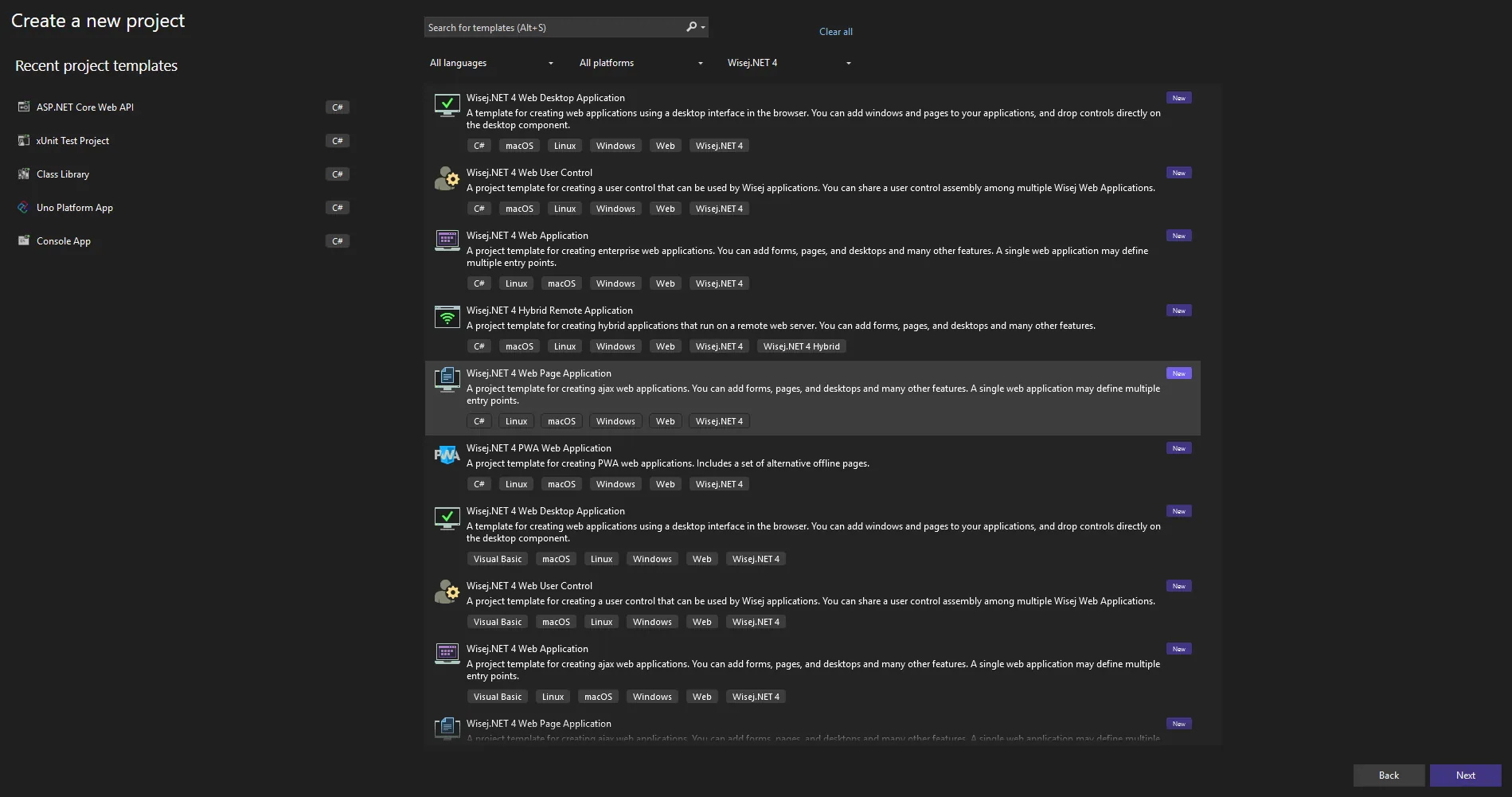
After installation, Visual Studio provides new templates designed specifically for:
- web-based desktop applications
- WinForms-style UI running in the browser
- cloud-ready deployment
Licensing
Wisej.NET requires a license, but:
- free licenses are available
- community licenses exist
- activation happens directly inside Visual Studio Once activated, you can start building and running applications immediately.
Step 1: The Original WinForms Application
Our starting point is a classic WinForms desktop application.
It contains:
- one Form
- one Button
- a simple click handler

WinForms Code Example:
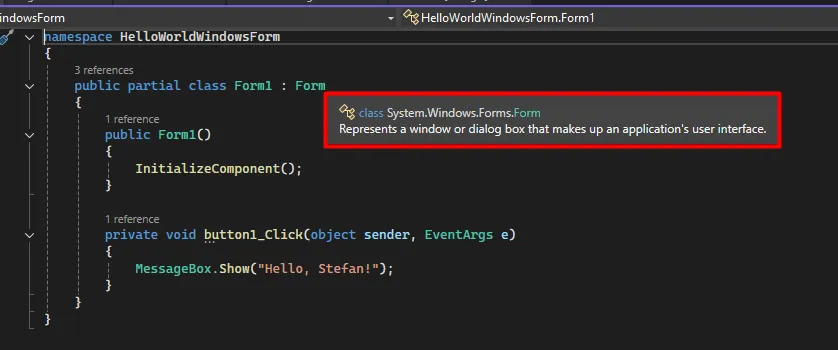
namespace HelloWorldWindowsForm{ public partial class Form1 : Form { public Form1() { InitializeComponent(); } private void button1_Click(object sender, EventArgs e) { MessageBox.Show("Hello, Stefan!"); } }}
This is the typical event-driven WinForms model that many legacy applications are built on.
Step 2: Creating the Web Project
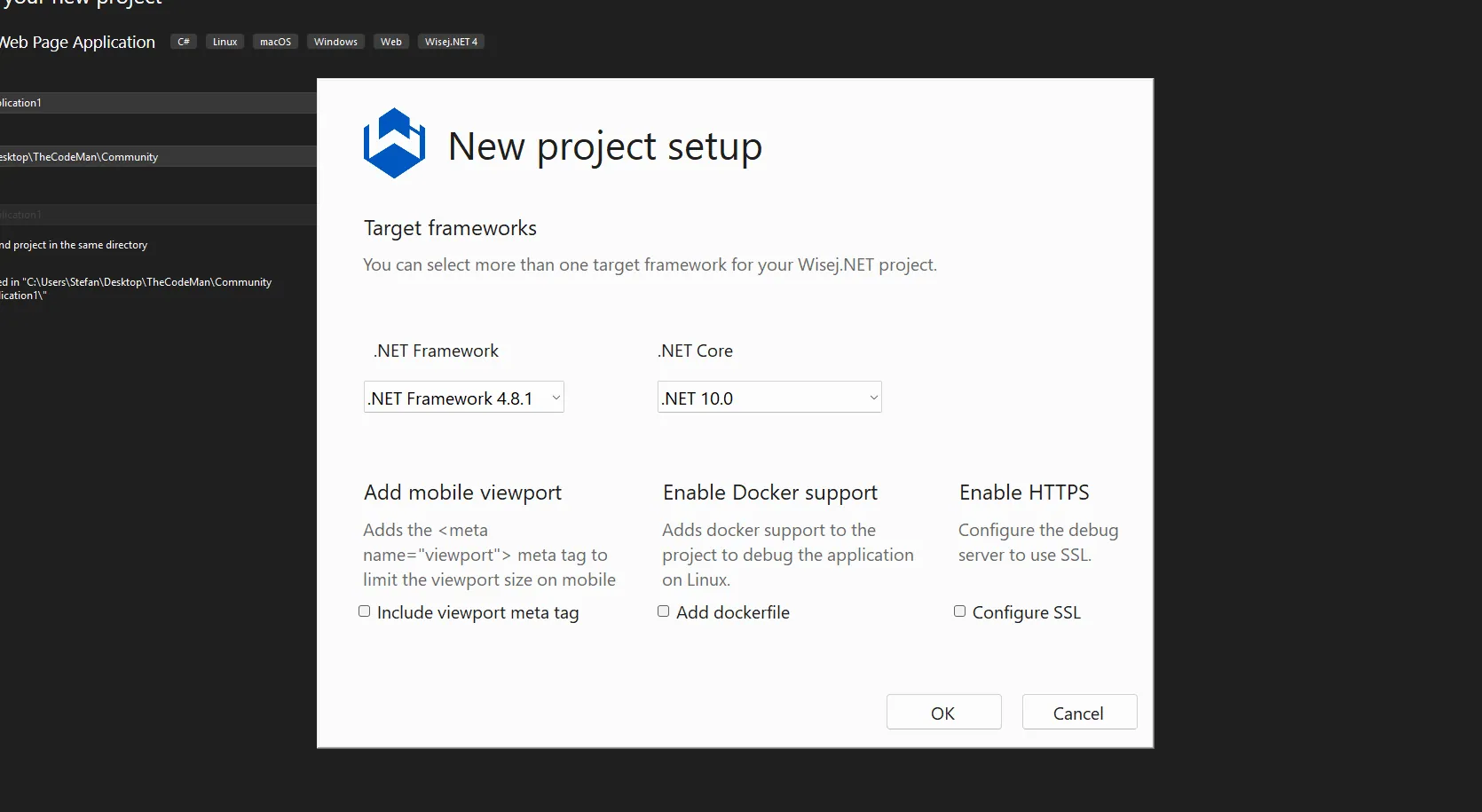
Next, we create a Wisej.NET 4 Web Desktop Application project using the Wisej template.
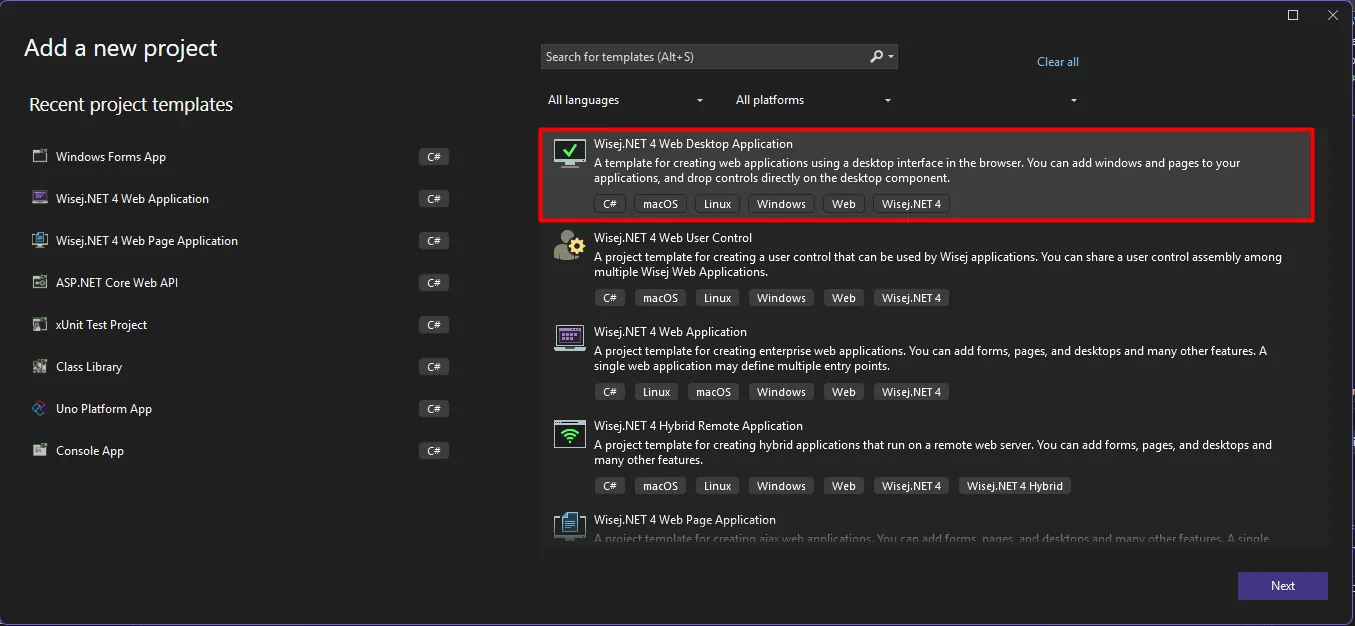
During project creation, we can:
- choose target frameworks
- enable Docker support
- prepare the app for cloud deployment
At this point, we already have:
- a browser-based runtime
- a web host
- a deployment-ready structure
Step 3: Migrating the WinForms Form
This is where WinForms to web migration becomes surprisingly straightforward. Migration Steps
- Copy the WinForms form files into the web project
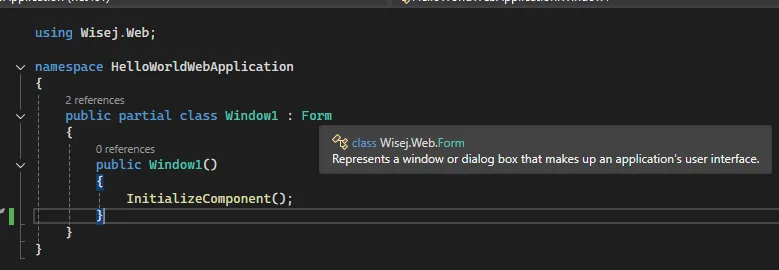
- Replace System.Windows.Forms with Wisej.Web
- Register and show the form in Program.cs
- Build and run That’s it.
Namespace Replacement Example
Before (WinForms):
using System.Windows.Forms;
After (Web):
using Wisej.Web;
Program Entry Point:
using HelloWorldWindowsForm;using System.Collections.Specialized;using Wisej.Web; namespace HelloWorldWebApplication{ internal static class Program { /// <summary> /// The main entry point for the application. /// </summary> /// <param name="args">Arguments from the URL.</param> static void Main(NameValueCollection args) { Application.Desktop = new MyDesktop(); // Form1 is the form copied from the Windows Forms project var window = new Form1(); window.Show(); } }}
The Result: A WinForms Application Running in the Browser
Once the application starts:

You get:
- the same form
- the same logic
- the same interaction model But now:
- it runs in a browser
- it can be deployed to the cloud
- it supports modern infrastructure No JavaScript. No SPA rewrite. No loss of existing code.
Why This Approach Works for Large Applications
This is not just about a Hello World example.
This migration approach supports:
- form-by-form migration
- hybrid desktop/web solutions
- gradual modernization strategies Which makes it suitable for:
- enterprise WinForms applications
- legacy .NET systems
- long-term modernization projects
Wrapping Up: A Practical Path to WinForms Modernization
Migrating a WinForms application to the web has traditionally meant starting from scratch.
What this approach demonstrates is a third option:
- modernize gradually
- reuse existing UI logic
- move desktop applications closer to the cloud
If you’re responsible for maintaining or modernizing a legacy WinForms application, this is one of the most practical migration paths available today.
Learn more:
Wisej.NET modernization: https://wisej.com/landing-modernization/ Wisej.NET documentation: https://wisej.com/documentation/ Wisej.NET learning resources: https://www.learnwisej.net/
That's all from me today.
Would you like to record a YouTube video doing this?
Find the source code in our closed community.
P.S. Follow me on YouTube.